
Learning Management System
ALLIED-LMS is invaluable in structuring and sharing course materials with learners, and also in monitoring and assessing progress.
Getting Started with ALLIED LMS
1: Access login page of CMS by entering following URL in your browser
https://allied.sumserp.com
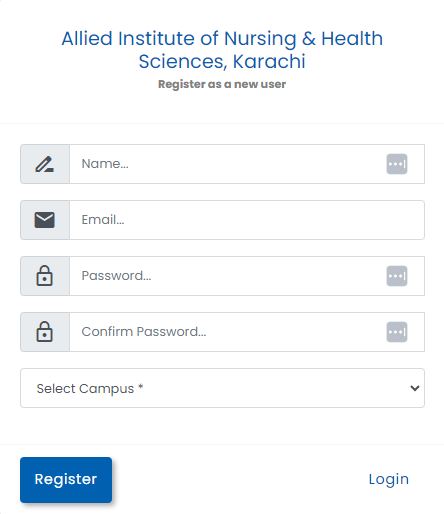
2: Enter your credentials provided by directorate of IT
3:After successful login your CMS dashboard will appear
3:After successful login your CMS dashboard will appear
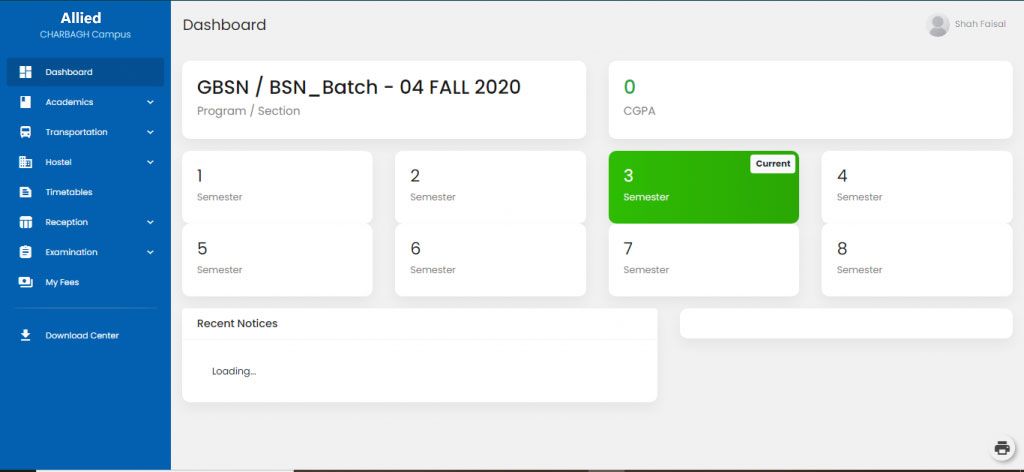
Getting Started with LMS
- Access login page of LMS by entering following URL in your browser:
- Enter your credentials provided by directorate of IT , wrong Email and wrong Password Errors.
- These credentials do not match our records.
- After successful login your LMS dashboard will appear.
*Note: For LMS and CMS credentials contact your department coordinator or
directorate of IT.
Instructions: (For Students)
Email: Enter Email ID
Password: Enter your Password
Student can recover LMS password contact for Allied IT department.
Instructions: (For Faculty)
Email: Enter Email ID
Password: Enter your Password
Faculty can recover LMS password contact for Allied IT department.
For further queries please contact Allied IT Dept.
Email: allied.edu.pk@gmail.com , info@allied.edu.com